When Is the Best Time of Day to Charge a Samsung Galaxy Watch?
Maximize your Samsung Galaxy Watch's lifespan by establishing a consistent charging routine during your daily downtime, avoiding overnight charges when possible.
By Tradifox Editorial· 7 min read
This article was generated with AI from the sources it names. Report an error
Optimizing Daily Charging for Samsung Galaxy Watch Wearables
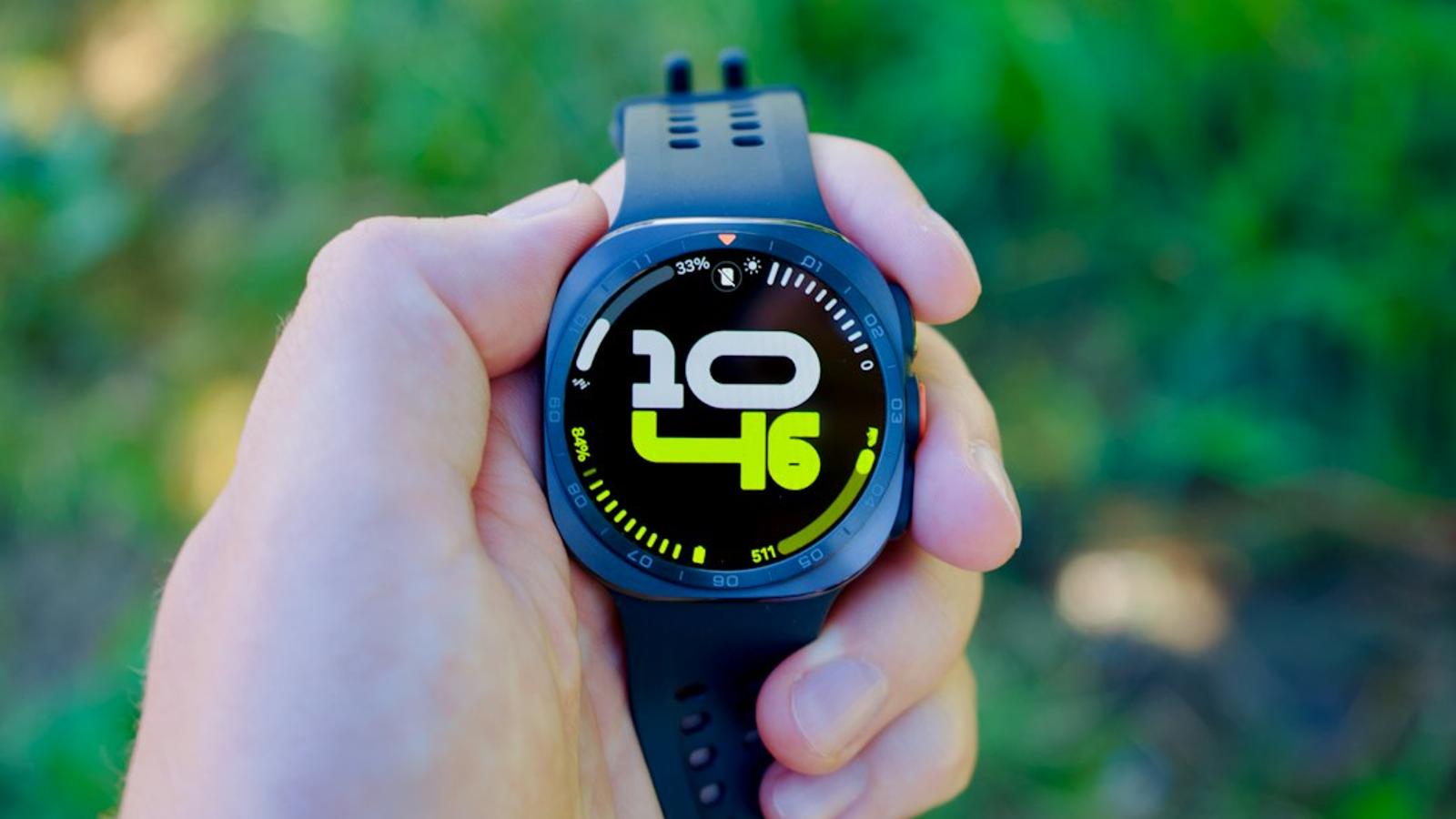
Finding the optimal time of day to charge a Samsung Galaxy Watch requires a balance between battery chemistry, lifestyle patterns, and biometric tracking needs. Galaxy Watch models rely on lithium-ion cells that deliver high energy density in a compact form factor. However, routine usage patterns directly dictate how long these internal cells maintain their structural integrity and peak operational capacity over multiple years.
Smartwatch maintenance is a practical necessity for active users aiming to avoid hardware complications. Subjecting a Samsung Galaxy Watch battery to excessive daily strain steadily degrades chemical efficiency and can inflict permanent damage. Remedying a depleted or swollen cell typically requires a replacement battery, which costs roughly $50 to $70 for do-it-yourself repair kits containing tools, or higher fees when handled through authorized repair centers.
The Fundamentals of the 20-80 Battery Rule
Preserving battery health largely revolves around chemical stress management. Battery specialists recommend the 20-80 charging rule, which involves connecting the device to its charger when it drops to around 20 percent and unplugging it once it reaches 80 percent. This window avoids deep discharges that strain the anode and prevents the prolonged high voltage that stresses the cathode during a complete 100 percent saturation.
Modern hardware releases introduce helpful protections that mitigate user error. Flagship wearables such as the Samsung Galaxy Watch 8 and Galaxy Watch 9 come equipped with integrated firmware battery protections that regulate current intake automatically. While these safeguards make rigid adherence to the 20-80 principle non-essential, limiting high-level voltage strain still actively extends the hardware's total operational lifespan.
Furthermore, the hardware design of current models accommodates partial charging habits without compromising utility. The Samsung Galaxy Watch 8 provides an estimated operational battery life of 30 to 40 hours on a standard cycle. Because a single charge readily spans more than a full day, users do not need to push the battery to maximum capacity every day to maintain uninterrupted usage.
Replenishing these smartwatches requires a dedicated window of time that users must plan for. A complete battery replenishment takes longer than one hour across hardware generations, including the Galaxy Watch 8, Galaxy Watch 9, and legacy devices. Because exact charging speeds fluctuate based on ambient temperature and puck wattage, accounting for this replenishment duration is critical when establishing a schedule.
Auditing Daily Habits to Build a Sustainable Charging Routine
Establishing an effortless routine begins with tracking baseline device performance. Experts recommend logging the exact start and end times of charging sessions over several consecutive days to establish an accurate average duration for planning purposes. Recording this baseline clarifies precisely how many minutes the device requires to move from 20 percent to 80 percent on your specific charging stand.
Because Galaxy Watches continuously track vital signs, log workouts, receive notifications, and display the time, the device should only be removed when its utility is at a minimum. The most logical time to schedule charging is during personal daily downtime. Periods spent seated at an office desk or working through early administrative tasks provide ideal opportunities to replenish the battery without losing activity metrics.
Individual fitness routines must dictate whether morning or evening charging makes the most sense. Users who maintain higher physical activity levels in the evening should schedule charging sessions in the morning while settling into sedentary work. Conversely, individuals who perform intense morning workouts should replenish their device in the late afternoon or evening once workout metrics have been successfully logged.
The Pitfalls of Overnight Charging
Leaving a wearable connected to power overnight is often the default choice for casual users, but it carries clear functional drawbacks. Overnight charging is generally ill-advised for individuals seeking continuous sleep staging, resting heart rate analysis, and blood oxygen tracking. Placing the smartwatch on a nightstand eliminates access to Samsung Health sleep coaching and recovery insights.
Beyond missed health data, overnight charging exposes the battery to extended periods at high saturation voltage. Once the battery hits 100 percent, it remains exposed to continuous trickle charges and elevated thermal levels for several hours. This sustained high-voltage state accelerates electrolyte decomposition over long periods, reducing operational capacity faster than disciplined daytime top-offs.
Overnight charging remains a sensible option only for a select group of users. Users who do not track sleep metrics and lack predictable desk hours during the workday can comfortably leave the watch on its charger overnight. For everyone else, dedicating a brief morning or evening session produces superior long-term hardware results.
Step-by-Step Strategic Charging Schedules
For most active individuals, an early morning routine offers the smoothest balance. Placing the Galaxy Watch on its charging puck while showering, grooming, and preparing breakfast can easily yield 40 to 50 minutes of charge. This brief window typically restores 30 to 50 percent of battery life, which is more than enough to sustain the watch through a complete day and night of biometric tracking.
An alternative approach targets evening wind-down periods prior to going to bed. Connecting the smartwatch to its magnetic dock while reading, watching television, or completing bedtime hygiene ensures the watch reaches an optimal charge before sleep. Once the watch hits 80 to 85 percent, strap it back on to ensure undisturbed sleep tracking without risking overnight battery strain.
Users working desk-bound office jobs can also take advantage of mid-morning productivity windows. Docking the watch during prolonged video conferences or focused writing blocks ensures that steps and active movement calories are not lost during the charging window. Once work demands prompt you to step away from your desk, the watch is charged and ready to track steps.
Environmental Factors and Hardware Care
Environmental conditions during the charging cycle play an equally critical role in sustaining battery longevity. Charging a Galaxy Watch on soft, heat-trapping surfaces like beds or thick carpets can trap heat and raise internal cell temperatures. Users should always rest the magnetic charging cradle on hard, flat surfaces such as wooden desks or stone countertops to encourage natural heat dissipation.
Selecting certified charging accessories prevents erratic electrical current from damaging sensitive wearable hardware. Using official Samsung wireless chargers or Qi-certified docks ensures the watch communicates properly with the power supply. Third-party charging cradles lacking adequate thermal regulation can trigger overheating warnings and accelerate long-term hardware degradation.
Software management also complements sensible physical charging habits. Turning off unnecessary background features, disabling continuous Wi-Fi searching when paired via Bluetooth, and fine-tuning always-on display parameters reduces daily drain. Decreasing base power consumption shortens the charging time needed to return the device to operational thresholds.
Long-Term Maintenance and Next Steps
Adopting an intentional charging routine preserves the long-term trade-in value and everyday reliability of your Samsung Galaxy Watch. By avoiding deep discharges, capitalizing on natural daily downtime, and keeping the watch on your wrist for critical sleep tracking, you maximize the health of the hardware. Consistent habits established today protect your investment across years of active health monitoring.
Take time today to evaluate your daily schedule and pick a dedicated 45-minute window for charging your Samsung Galaxy Watch. Check your device settings to confirm power management protections are active, and explore our library of wearable maintenance guides for more tips on maximizing battery performance and device health.
Frequently Asked Questions About Samsung Galaxy Watch Charging Habits and Battery Care
Is it safe to leave a Samsung Galaxy Watch charging overnight while sleeping?
Overnight charging is generally not recommended if you track sleep metrics or want to minimize battery degradation from extended periods at 100 percent capacity. However, it remains a workable choice if you do not track sleep and lack daytime downtime to replenish the device.
What is the 20-80 charging rule and how does it protect the Galaxy Watch battery?
The 20-80 approach advises plugging the watch in at 20 percent and unplugging around 80 percent. This practice avoids deep voltage drops and prevents the structural strain of sustained 100 percent saturation, preserving lithium-ion health and postponing costly replacements.
Do newer models like the Galaxy Watch 8 include built-in battery protection?
Models like the Galaxy Watch 8 and newer include integrated hardware battery protection features to mitigate excessive stress. While strict adherence to manual charge limits is less critical on these models, moderating strain still delivers measurable longevity improvements.
How long does a full charge take and how often must the device be charged?
A full charge typically takes more than an hour on models like the Galaxy Watch 8 and Watch 9. With roughly 30 to 40 hours of run time available, charging during low-activity windows like desk work or morning routines easily keeps the device powered without full overnight sessions.
Related articles