Don't Throw Away Your Old Digital Camera — Do This Instead
Give your vintage digital camera a second life by converting it into a desktop webcam. Enjoy better image quality with larger sensors and natural background blur.
By Tradifox Editorial· 4 min read
This article was generated with AI from the sources it names. Report an error
The Second Life of Legacy Cameras
Global shipments of built-in-lens digital cameras rose by 29.6 percent in 2025 to approximately 2.44 million units, with Camera & Imaging Products Association projections indicating a further 13.6 percent lift across 2026. This resurgence has prompted many computer users to reconsider retiring older photography gear to e-waste bins. Instead of collecting dust in drawers, vintage DSLRs and mirrorless bodies frequently offer optical advantages that outclass generic integrated computer webcams.
Repurposing these older devices delivers distinct visual benefits for daily teleconferencing on platforms like Zoom, Microsoft Teams, and Google Meet. Physical camera sensors are significantly larger than the miniature pinhole sensors found on standard laptops, allowing more natural light capture and genuine optical depth of field. Even older glass optics produce a pleasing background separation that software-generated blur algorithms struggle to emulate without awkward edge artifacts.
Setting Up USB Webcam Utilities
Many major camera manufacturers supply proprietary desktop software tools that convert older bodies into plug-and-play USB webcams without secondary capture accessories. Free vendor utilities accommodate a wide range of older hardware, including Canon models like the EOS 6D and EOS Rebel T6, Nikon bodies such as the D5300 and D750 through Nikon Webcam Utility, and Sony systems like the A5100, A7 II, and RX100 IV via Imaging Edge Webcam.
While convenient, tethering an older DSLR through standard USB comes with specific performance trade-offs that buyers should anticipate. Connecting older Nikon DSLRs over USB frequently limits the outgoing video stream to the VGA portion of the camera's XGA live-view feed, which can yield a lower practical resolution than modern dedicated webcams despite the underlying sensor quality. Furthermore, both Sony and Nikon explicitly note that their webcam utilities do not pass onboard audio through the USB interface, requiring a separate desktop or laptop microphone.
Clean HDMI and Capture Hardware
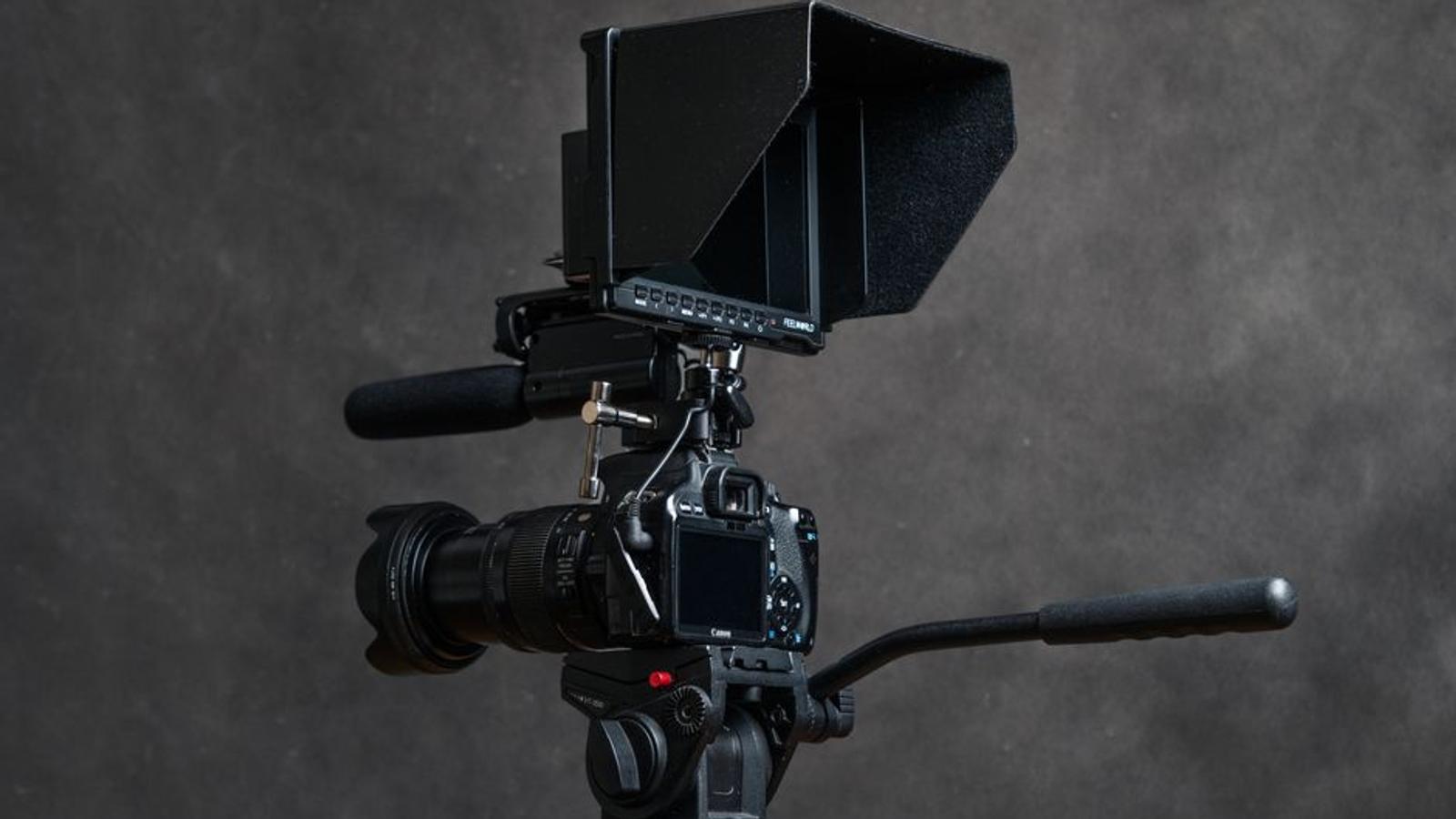
For camera bodies that lack dedicated USB utility support, an external HDMI video capture card provides a universal workaround. This method requires the camera to support a clean HDMI output signal, meaning the video feed sent through the port can strip away on-screen user interface elements such as autofocus boxes, battery meters, and exposure readouts. If an older camera cannot hide its heads-up display overlays, those graphic icons will remain permanently visible on every video call.
Continuous operation introduces additional hardware hurdles when relying on an HDMI pipeline. Peripheral manufacturer Elgato warns that prospective users must ensure their camera can deactivate automatic standby timers while streaming video and sustain continuous power. Operating cameras in continuous live view quickly exhausts standard lithium-ion camera packs within an hour or two, making an AC-powered dummy battery adapter an essential investment for back-to-back office meetings.
Hidden Costs and Simpler Modern Alternatives
The financial equation for assembling a DIY camera workstation can shift rapidly once extra accessories enter the calculation. A dedicated video converter such as the Elgato Cam Link 4K adapter retails for $99.99, and that expense increases when adding micro-HDMI cables, mounting arms, and reliable dummy batteries. When totaling these peripheral additions, the final setup cost can easily surpass the price of streamlined modern equipment.
Shoppers seeking simple upgrades can find competitive fidelity with far fewer technical headaches. Dedicated desktop options like the 2K Anker PowerConf C200 deliver sharp video and integrated directional microphones over standard USB for around $60. Furthermore, native mobile continuity tools in modern operating systems allow Mac users to pair compatible iPhones, while Windows 11 allows users to link compatible Android devices as wireless webcams without spending any additional funds.
Vintage Resale Values Versus Desk Duty
Before locking a classic camera into a permanent desktop desk mount, owners should research current secondary market values. The explosive resurgence of vintage digital cameras has dramatically inflated secondhand pricing across popular compact lines. For example, a Canon PowerShot S95 purchased on the used market for $130 in 2023 commanded an average resale value surpassing $400 by 2026, according to sales figures reported by B&H.
Evaluating whether to repurpose an aging camera ultimately depends on the specific hardware generation you own. A mid-tier DSLR with readily available USB utility support provides an affordable way to dramatically upgrade home office video quality without generating electronic waste. However, if a legacy camera commands an inflated market premium or requires hundreds of dollars in capture cards and dummy batteries, selling the unit to finance a modern webcam remains the smarter financial choice.
Frequently Asked Questions About Repurposing Digital Cameras
Can you use your digital camera's microphone over USB?
Proprietary software tools from Nikon and Sony do not transmit audio through the USB cable. You must rely on your computer's built-in microphone or connect an external desktop USB microphone during video calls.
How do you keep a camera powered during long video calls?
Continuous live-view streaming exhausts standard camera batteries quickly. To prevent unexpected shutdowns during long calls, you will need continuous AC power delivery or an external dummy battery adapter.
What features are required to use an HDMI capture card?
Capture cards require clean HDMI output that can hide on-screen exposure dials and focus points. You also need to confirm your camera can disable auto-off timers while actively outputting video over HDMI.
Is repurposing an old camera cheaper than buying a webcam?
Repurposing gear requires buying capture cards like the $100 Cam Link 4K, cables, and power adapters. In contrast, modern dedicated options like the Anker PowerConf C200 cost $60 and offer plug-and-play setup.
Related articles