Why Phone Batteries Wear Out, and What Actually Helps
Deteriorating batteries are the most common smartphone fault in the UK. Learn how charge cycles and heat affect your phone, and which habits genuinely prolong battery life.
By Tradifox Editorial· 9 min read
This article was generated with AI from the sources it names. Report an error
The Mechanics of Lithium-Ion Aging
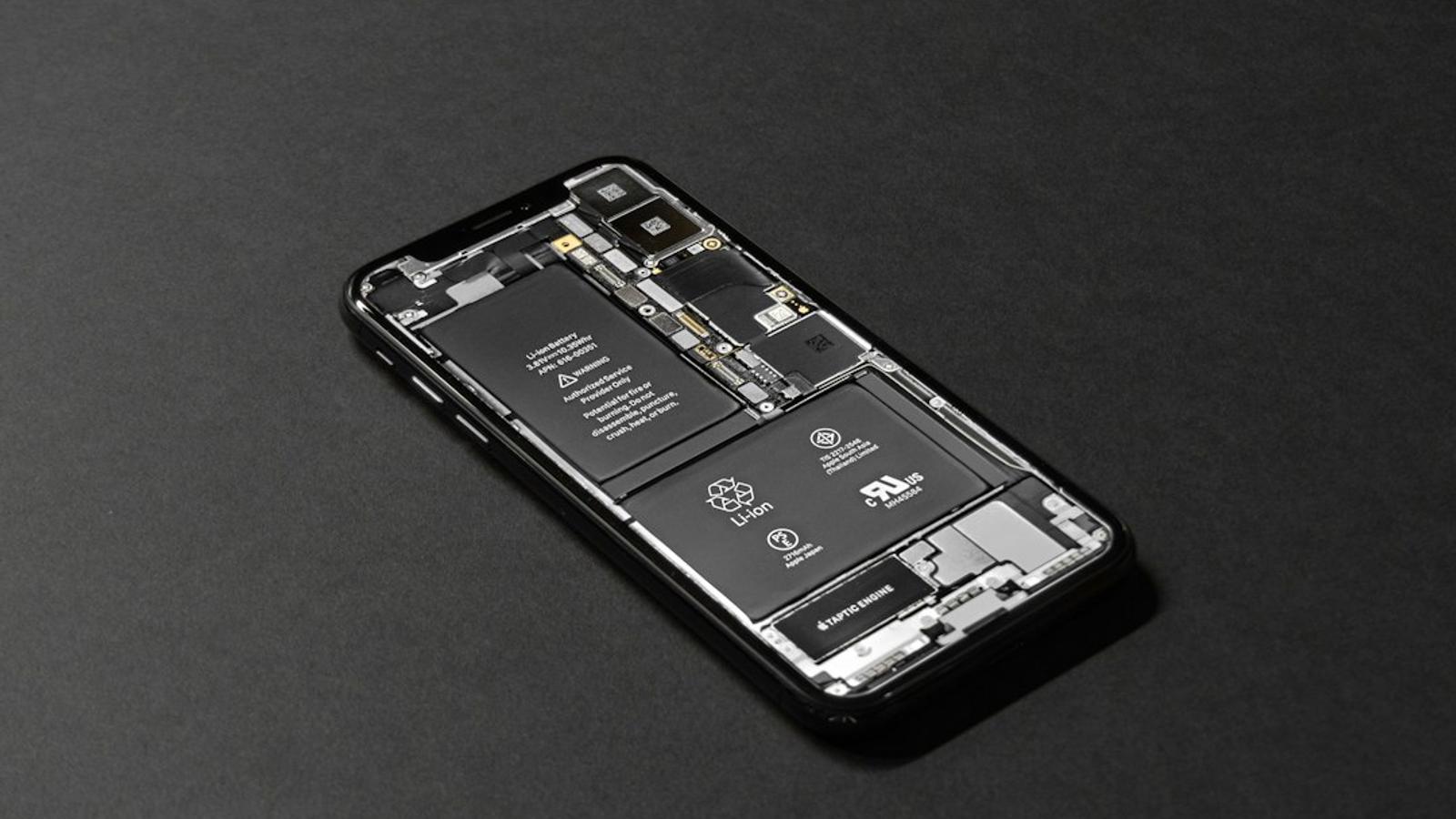
Modern smartphones rely on lithium-ion cells to provide lightweight, compact, and high-density power. Unlike early nickel-cadmium batteries, these cells suffer no memory effect and do not require periodic deep discharges to maintain their internal calibration. However, their internal chemistry remains in a constant state of irreversible physical and electrochemical decline from the day they are manufactured.
Every time a handset charges and discharges, lithium ions shuttle between the positive cathode and the negative anode. Over time, microscopic mechanical stress fractures the internal electrode structures, while parasitic chemical reactions permanently trap active lithium ions. Consequently, an aging cell stores less usable energy and exhibits higher internal electrical resistance.
Understanding Charge Cycles
Battery wear is fundamentally tracked through charge cycles rather than the simple frequency of plugging in a charging cable. One complete cycle equals discharging an amount of energy equal to 100% of the rated capacity, whether that occurs in a single sitting or across multiple days. For example, using 60% of a battery today and 40% tomorrow counts as one cumulative charge cycle.
Historically, consumer electronics standards evaluated cells across roughly 300 to 500 charge cycles before significant degradation occurred. Modern smartphone specifications are considerably more robust, generally requiring cells to withstand at least 800 full cycles before slipping below 80% of original capacity. For typical smartphone owners, reaching this 800-cycle threshold equates to approximately two to three years of routine daily use.
Depth of Discharge and Physical Strain
How deeply you deplete a phone's power before recharging directly dictates the speed of mechanical degradation. Pumping a battery from absolute 0% all the way to 100% exposes the internal materials to maximum mechanical expansion and contraction. This aggressive swinging of capacity is known as high depth of discharge.
Laboratory evaluations of lithium-ion cells highlight how dramatically shallow discharge patterns prolong operational lifespan. Cycling a cell across a full 100% depth of discharge typically yields only around 300 cycles before available capacity declines to 70%. In contrast, reducing that depth of discharge to 40% allows the identical chemistry to achieve roughly 1,000 cycles before suffering comparable degradation.
Voltage Stress at High Charge States
Voltage stress represents another primary driver of premature capacity loss within smartphone batteries. When a phone reaches 100% state of charge, internal cell voltage rises to roughly 4.20V or higher, creating substantial electrochemical tension across the electrolyte. Maintaining high voltage levels accelerates unwanted side reactions that degrade the protective solid electrolyte interface layer.
Research indicates that every 0.10V reduction below the standard peak charge threshold doubles the cycle life of a lithium cell. The trade-off is a slight sacrifice in runtime, as each 70mV drop reduces usable stored energy by approximately 10%. To balance longevity with everyday utility, battery scientists recommend routinely operating handsets within a moderate 30% to 80% charge window.
The Catalytic Impact of Heat
Thermal conditions act as a severe catalyst for every chemical degradation mechanism inside a handset. When device operating temperatures rise above 30°C, the chemical breakdowns caused by elevated voltage accelerate exponentially. Fast-charging while running intensive apps or leaving a phone on a warm vehicle dashboard produces lasting structural harm.
Storage benchmarks underscore the severe penalty of combining high state of charge with ambient heat. A lithium-ion cell kept at 100% charge in a 25°C environment permanently loses roughly 20% of its recoverable capacity over a single year. By contrast, storing the same battery at a relaxed 40% charge level results in only a 4% capacity drop over identical timeframes.
Reading the Battery Health Figure on iOS and Android
Modern smartphones track electrochemical wear through dedicated software menus, providing owners with an estimated maximum capacity percentage. On an iPhone, checking Battery Health reveals how much charge the internal cell can store compared to when it rolled off the assembly line. A brand-new handset registers 100%, but normal usage causes this figure to decline gradually over time.
Android operating systems have progressively adopted comparable metrics, surfacing maximum capacity ratings alongside lifetime cycle counts in device settings. Manufacturers consider a smartphone battery healthy if it retains at least 80% of its original design capacity. Most modern handsets are engineered to maintain this 80% threshold across at least 800 full charge cycles under standard operating conditions.
Once a battery drops below 80%, users typically notice shortened daily runtimes and unexpected shutdowns during demanding tasks. On iOS, slipping past this threshold prompts an official service notification suggesting replacement, and the system may enable performance management to avoid abrupt blackouts. This software percentage is an algorithmic estimate calculated from voltage curves and impedance changes rather than an exact physical measurement.
The Persistent Myth of Draining to Zero Percent
One of the most persistent misconceptions surrounding mobile hardware is the belief that batteries must be fully drained to 0% before recharging. This habit originated with older nickel-cadmium and nickel-metal hydride batteries, which suffered from a real "memory effect" if not routinely drained. If an older nickel pack was repeatedly recharged from 40%, it eventually treated that level as its bottom floor.
Lithium-ion cells used in modern smartphones behave completely differently and possess no memory effect whatsoever. In reality, deep discharges subject lithium chemistry to severe electrochemical strain. Dropping a phone to absolute zero forces internal components to operate at minimum cell voltages, which accelerates irreversible wear on internal electrodes.
Laboratory research compiled by Battery University demonstrates that operating across smaller depth-of-discharge windows significantly extends usable life. Running a phone between 100% and 0% consistently yields around 300 to 500 cycles before severe degradation occurs. In contrast, keeping the battery within a modest 30% to 80% operating range can more than double the lifespan of the cell.
Why Force-Closing Background Apps Does Not Save Power
A common daily habit involves opening the multitasking view and routinely swiping away background applications to conserve power. Many smartphone owners believe that active previews represent software actively draining the battery in real time. In practice, modern mobile operating systems manage system memory far more efficiently than manual user intervention.
Both iOS and Android employ strict background architectures that automatically freeze suspended applications in system RAM. A frozen background application consumes negligible processing power and draws practically zero battery current. The operating system preserves its state while allocating computing resources exclusively to whatever is currently displayed on your screen.
Repeatedly force-closing apps actually wastes more energy over the course of a day. When an application is terminated manually, the system must purge its cached data from RAM entirely. Reopening that service later forces the mobile processor to reload code from flash storage and rebuild temporary caches from scratch, generating an avoidable power spike.
Evidence-Based Habits to Extend Smartphone Battery Health
Prolonging lithium-ion lifespan relies on managing heat and operational voltage rather than debunked myths. These proven daily practices help maintain cell capacity well beyond 800 cycles.
- 1
1. Cap Charging at 80 Percent to Reduce Voltage Stress
Enable built-in charging limits on iOS or Android to cap daily charging at 80% or 85%. Laboratory data shows holding a cell at 4.20V accelerates wear, whereas a modest voltage reduction substantially extends usable cycle life.
Restricting the top end of charge avoids prolonged high-voltage stress during overnight plug-in sessions.
- 2
2. Prevent High Temperatures During Charging and Heavy Use
Avoid operating or charging a handset in environments above 30°C, such as on direct-sunlight car dashboards. Elevated temperatures permanently degrade lithium-ion chemistry, quadrupling capacity loss over time.
If the phone warms significantly while gaming or running navigation apps, remove bulky protective cases before plugging it into a charger.
- 3
3. Maintain Charge Levels in the 30% to 80% Sweet Spot
Lithium-ion cells have no memory effect and suffer higher degradation during deep discharges. Keeping the battery level between 30% and 80% reduces the depth of discharge and prolongs total operating cycles.
Top up your device briefly during the day instead of letting it drop near 0% before attempting a complete refill.
- 4
4. Reserve Ultra-Fast Charging for Urgent Situations
Fast chargers produce higher internal heat and push cell voltages higher earlier in the charge cycle. While safe for occasional convenience, daily overnight charging is best handled by standard 5W to 10W chargers.
Lower-wattage charging generates minimal ambient heat, safeguarding the electrolyte matrix against thermal and chemical stress.
- 5
5. Stop Manually Swiping Closed Background Apps
Force-closing background applications actually wastes energy by requiring the operating system to reload processes into memory. Instead, rely on native OS sleep modes and disable unnecessary background location permissions.
Let modern mobile systems manage memory autonomously to avoid unnecessary processor cycles and related battery drain.
| Device / Route | Official Service | High-Street Third Party | Modular Self-Repair |
|---|---|---|---|
| Apple iPhone 15 / 16 | £95 (Apple Store) | £49–£149 (e.g. iSmash) | N/A (Specialist tools required) |
| Samsung Galaxy S25 | £59 (Samsung Repair) | £65 (e.g. iExpertRepairs) | N/A (Glued assembly) |
| Fairphone 6 | N/A (User-serviceable) | N/A (Unnecessary) | £35 (Standard screwdriver) |
Evaluating Battery Health and Upgrade Timing
Research from UK consumer group Which? highlights that deteriorating batteries represent the single most common fault affecting modern smartphones. Yet replacing a chemical cell remains the most affordable physical repair available to extend a handset's practical lifespan. When daily runtimes plummet, consumers inevitably face the dilemma of investing in a battery service or upgrading to an entirely new phone.
Hardware manufacturers generally consider a smartphone cell healthy if it retains at least 80% of its original design capacity. Modern handsets are typically engineered to withstand around 800 full charge cycles before dipping below this 80% threshold. If your battery drops beneath this level inside its first year of operation, manufacturers such as Apple will replace it free of charge under standard warranty terms.
Replacement Costs Across Major Brands
Evaluating the economics of battery replacement depends heavily on the make and model of your handset. An official Apple replacement for newer devices such as an iPhone 15 or iPhone 16 costs approximately £95 in the UK. Third-party repairers like iSmash offer alternatives starting around £49 for aftermarket parts, though these disable native battery health metrics; retaining those software indicators through certified components can push third-party costs up to £149.
Android users frequently encounter much lower servicing thresholds through direct manufacturer channels. An official Samsung Galaxy S25 battery service via Samsung Repair costs £59, which is notably cheaper than independent repair services such as iExpertRepairs at £65. Meanwhile, modular devices establish the gold standard for repairability: the Fairphone 6 offers genuine replacement batteries for just £35, which owners can easily install themselves using a single standard screwdriver.
The Critical Role of Software Security Updates
A financial calculation alone should not dictate whether you service an older device. Consumer advocate Which? strongly recommends upgrading to a modern handset rather than paying for a replacement cell if the phone will lose security patch support within the coming twelve months. Operating a smartphone without ongoing manufacturer security updates exposes personal financial data and private accounts to unpatched system vulnerabilities.
If your phone retains two or three years of confirmed operating system updates and security patches, spending £35 to £95 on a fresh cell is an exceptionally cost-effective decision. Replacing the battery resets hardware performance, eliminates unexpected shutdowns, and defers the substantial financial and environmental costs of purchasing a brand-new device.
Frequently Asked Questions About Battery Care
Is it safe to leave your phone charging overnight?
Modern phones automatically cut off power when full. However, staying pinned at 100% capacity creates sustained high cell voltage that gradually accelerates chemical degradation over time.
Does fast charging damage your battery faster?
Fast charging speeds up wear primarily if it generates excessive heat above 30°C. Limiting charging to an 80% ceiling reduces high-voltage dwell and preserves overall cycle health.
Do you need to recalibrate by draining to zero?
No. Lithium-ion batteries have no memory effect, making deliberate deep discharges unnecessary and chemically stressful. Keeping charge levels between 30% and 80% maximises longevity.
When is a phone battery replacement worth paying for?
Manufacturers suggest replacing cells when maximum capacity drops below 80%, usually after 800 cycles. Typical UK official repairs cost £59 for Samsung and £95 for recent iPhones.
Related articles