Six Practical Ways to Repurpose an Old PlayStation 3 Today
Don't throw away your PlayStation 3 just yet. Learn how to transform your aging console into a dedicated offline media center, retro gaming station, or CD ripper.
· 10 min read
This article was generated with AI from the sources it names. Report an error
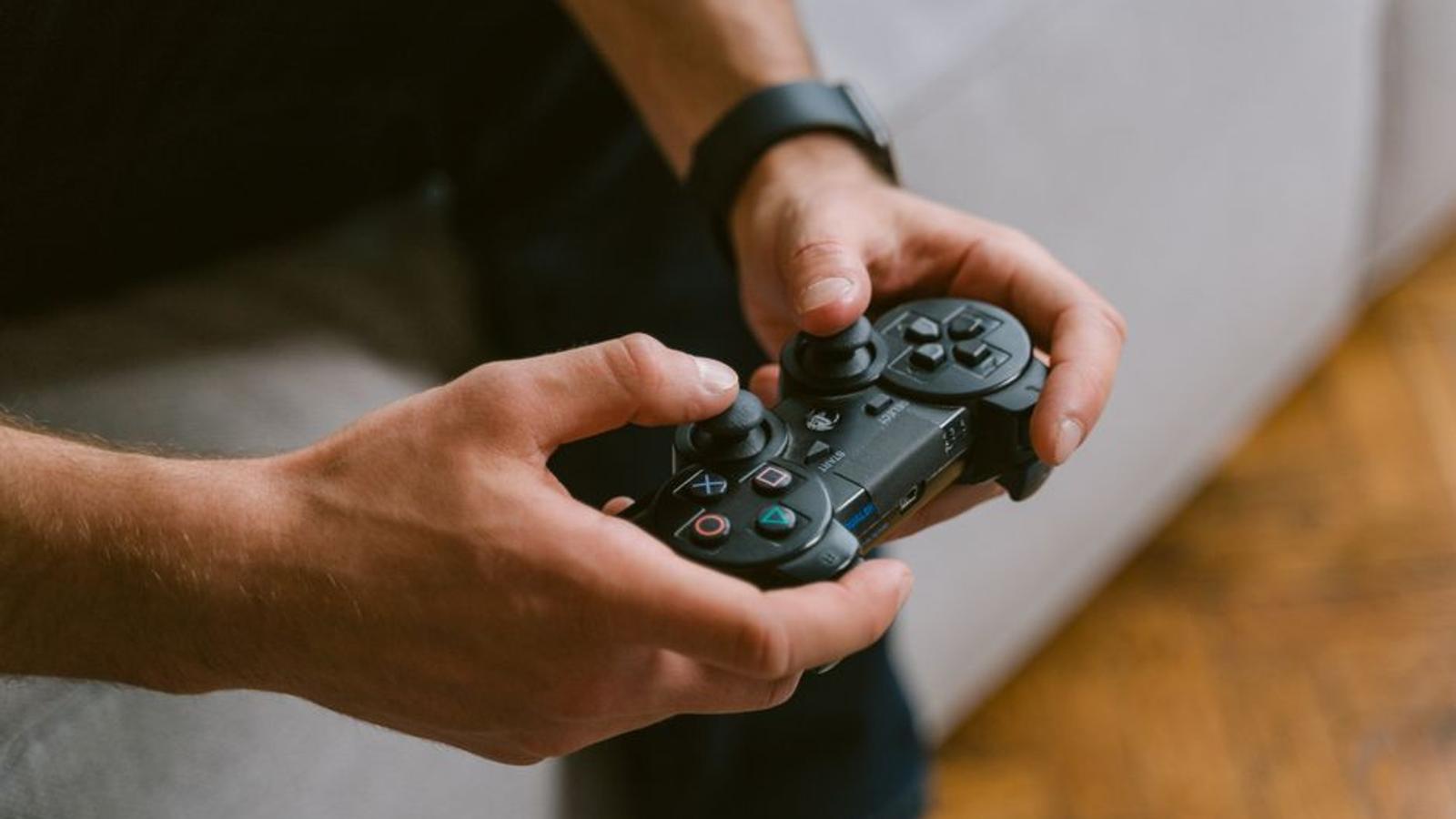
Two decades and roughly 87 million sales after its global debut, Sony's PlayStation 3 occupies a curious space in consumer electronics history. While modern entertainment setups are dominated by 4K displays and cloud-centric devices, the console represents one of the most mechanically versatile home multimedia platforms ever engineered. Its internal architecture was designed during an era when manufacturers prioritized hardware feature density over lightweight streaming ecosystems.
Over recent years, commercial software support has predictably eroded across the board. Major streaming providers have systematically terminated application support on the system, with Crunchyroll discontinuing its client in 2022 and Plex abandoning the hardware in 2023. The final chapter of mainstream app support concludes with Netflix withdrawing its service in March 2026, leaving the interface largely devoid of corporate subscription platforms.
Despite the departure of these streaming vendors, the physical console remains far from obsolete. Its optical drive, audio encoders, network connectivity, and storage controllers still function seamlessly without external subscriptions. By leaning into its native technical strengths, owners can easily repurpose an unused PS3 into a dedicated, capable media device across several practical categories.
Dedicated Blu-ray and DVD Upscaling Player
The PlayStation 3 contains an exceptionally reliable optical disc assembly capable of reading standard CDs, commercial DVDs, and high-definition Blu-ray media. Setting up the console as a secondary disc player in a bedroom or office offers immediate utility without requiring new consumer hardware. Because it interfaces over HDMI, it connects natively to any modern flat panel or computer monitor.
Standard-definition DVD playback on modern displays often introduces visual artifacts and blurred textures. To combat this issue, the console incorporates a proprietary BD/DVD Upscaler within its internal Video Settings menu. Users can select between Normal, Double Scale, and Full Screen processing modes, transforming 480i or 480p DVD output into a clean 1080p presentation.
Blu-ray playback relies on strict digital rights enforcement under the Advanced Access Content System (AACS) licensing standard. To maintain cryptographic compliance for newer retail disc releases, Sony continues to issue occasional system firmware updates roughly once per year. Users can apply these updates directly via an active internet connection or by manually downloading the firmware image to an external USB flash drive.
In addition to video scaling, the hardware offers robust onboard audio decoding capabilities. It can pass multitrack audio such as Dolby Digital and DTS formats straight to an AV receiver or soundbar over an optical audio cable or via HDMI output. This flexibility ensures dependable home theater performance without extra investment.
Retro Gaming Powerhouse Across Generations
For classic gaming enthusiasts, the hardware functions as a reliable hub that spans multiple eras of home gaming history. Every iteration of the console, including the original fat edition, the slim, and the super slim redesigns, retains native hardware-level backward compatibility with original physical PlayStation 1 discs. Users can simply insert standard jewel-case discs directly into the drive to begin play.
Physical PlayStation 2 disc playback is famously restricted to specific early production models of the original fat chassis that integrated dedicated emotion engine hardware. While later revisions eliminated the internal components required to spin physical PS2 discs, owners of later revisions are not entirely shut out from classic releases. The digital storefront still offers a curated selection of PS2 titles.
Players running non-backward-compatible hardware can purchase official Digital PS2 Classics via the on-device PlayStation Store. Because Sony deactivated direct credit card and PayPal processing on legacy consoles for security reasons, funding these purchases requires redeeming pre-funded PlayStation gift cards on the account via an external browser or a modern console.
Advanced users often explore software modification to turn the console into a broad emulation station. Custom firmware solutions can enable playback of titles from the Super Nintendo, Sega Genesis, and Sega CD. However, jailbreaking violates Sony's end-user software licensing agreements and introduces a tangible risk of permanently bricking the hardware if executed improperly.
Local Network Streaming via DLNA
Although external subscription networks have abandoned the system, the console excels at communicating with local home networks. The device natively supports the Digital Living Network Alliance (DLNA) standard, which enables wireless or wired media communication between domestic servers and client terminals. The setting can be easily enabled within the console's Network Settings menu under Media Server Connection.
Because the console's native decoder recognizes only a specific subset of legacy video containers, pairing it with server-side transcoding tools is essential. Free desktop software like Universal Media Server bridges this gap across Windows, macOS, and Linux operating systems. When the server hosts an incompatible MKV or modern MP4 file, it transcodes the stream on the fly into an format the console processes without stutter.
Connecting the console via an Ethernet cable instead of Wi-Fi provides substantial throughput benefits for local streaming. The early 802.11b/g internal wireless modules inside older consoles often struggle with sustained high-bitrate video feeds. A hardwired connection ensures reliable streaming of full 1080p video content from a computer situated in another room.
Navigating local network directories occurs directly within the standard XrossMediaBar (XMB) interface. Photos, private home video libraries, and ripped music albums populate under their respective system categories. This local setup bypasses internet connection outages and avoids monthly cloud hosting subscription fees completely.
Standalone Offline USB Media Hub
For environments without stable home network connections, the console serves admirably as an offline video and photo jukebox via standard USB memory storage. The hardware accepts ordinary thumb drives, compact card readers, or self-powered external spinning hard drives connected through the front-facing ports. This capability makes it practical for holiday cabins, workshops, or off-grid locations.
To ensure proper drive recognition by the console operating system, storage media must be formatted strictly to the FAT32 file system. Modern file formats such as exFAT and NTFS are entirely unsupported. Because of FAT32 architectural constraints, individual media files cannot exceed 4GB in size, which remains plenty of space for standard compressed 1080p media.
Directory organization on the storage drive must follow specific structural naming conventions. Files should be sorted into dedicated root folders named strictly in capital letters: VIDEO, MUSIC, and PICTURES. If media files are stored outside these specific root folders, users must highlight the USB device on the interface and press the triangle button to manually display all contents.
Once loaded, the console functions as a smooth media viewer with dedicated zoom, pan, and slideshow capabilities. Family photo archives stored on a flash drive can be set to play alongside custom background music tracks stored directly on the internal drive. It remains an accessible method to view personal archives on a television.
Digital Audio CD Ripper and Jukebox
One of the most practical overlooked functions of the console is its ability to digitize physical Compact Discs completely independently of a personal computer. Inserting an audio CD launches an automatic prompt that can query an online music database to fetch track titles, artist data, and album cover art without manual typing.
The system features dedicated Audio CD Import configurations under the system settings panel. By default, incoming tracks are encoded as 128 kbps AAC files, which balances drive capacity against clarity. Users prioritizing higher acoustic fidelity can manually alter the import parameters to 320 Kbps MP3 or utilize high-bitrate AAC compression instead.
Imported tracks are deposited straight into the console's internal hard drive, organizing automatically into folders grouped by artist and album title. Users can construct customized playlists, play music in the background during supported native games, or output the sound through an existing optical audio configuration straight into high-end stereo speakers.
Because the console uses standard 2.5-inch SATA hard drives, storage capacity can be expanded easily on an economical budget. Replacing an original small hard drive with a spacious 500GB or 1TB internal mechanical drive or solid-state drive yields room for tens of thousands of uncompressed audio tracks. This transforms the console into a permanent, self-contained hi-fi component.
Trade-In, Direct Resale, or Component Harvesting
If repurposing the console for entertainment hardware is impractical for your space, liquidating the system provides straightforward monetary returns. A broad secondary market exists for legacy gaming platforms, fueled by collectors, nostalgic gamers, and hobbyists looking for spare parts or project hardware. Determining the optimal liquidation path depends on convenience and timing.
National brick-and-mortar trade-in retailers like GameStop represent the fastest, lowest-friction route for immediate compensation. While retail chains typically offer lower cash sums or store credits compared to private market values, they eliminate the logistical tasks of photographing the unit, answering customer inquiries, and managing shipping labels.
Selling the console directly through local peer-to-peer marketplaces such as Facebook Marketplace, OfferUp, or Craigslist generally yields the highest net monetary returns. Bundling the console with its original power cables, official DualShock 3 controllers, and a handful of physical discs substantially increases the unit's market appeal. Functional original controllers frequently command high prices on their own due to pervasive counterfeit alternatives.
Mail-in consumer electronics trade-in portals like BuyBackWorld present an intermediate alternative for owners seeking an uncomplicated, remote sale. These services supply prepaid shipping containers and issue payments via check or direct deposit after hardware inspection. If the console suffers from internal motherboard faults, selling the unit explicitly for parts remains a viable option for hobbyists seeking disc drives and power supplies.
Conclusion: Squeezing Longevity from Legacy Hardware
The retirement of major commercial applications like Netflix and Crunchyroll highlights the inevitable progression of modern digital ecosystems. However, a console's utility does not evaporate simply because its original software store ecosystem slows down. The engineering built into the platform provides enduring value across numerous everyday home media tasks.
Whether working as a dedicated 1080p DVD upscaler, playing retro PS1 disc favorites, serving local DLNA media streams, or converting an aging CD library into a clean digital archive, the console still commands practical utility. Instead of sending the unit to an electronic waste dump, integrating it into your home setup offers a functional second life for an engineering marvel.
Frequently Asked Questions About Repurposing a PlayStation 3
Can every PlayStation 3 model play physical PS1 and PS2 discs?
All PlayStation 3 models can play original physical PlayStation 1 discs natively. However, physical PlayStation 2 disc playback is exclusive to early launch 'fat' models. Later Slim and Super Slim units cannot read PS2 discs, though they can run select digital PS2 Classics purchased from the PlayStation Store.
Do streaming apps like Netflix, Plex, and Crunchyroll still work on PS3?
Major streaming platforms have officially ended PS3 support. Crunchyroll discontinued its app in 2022, Plex dropped support in 2023, and Netflix ended service in March 2026. Consoles can no longer stream from these providers, shifting their primary utility toward offline discs and DLNA home media servers.
Why does an older PS3 still require system firmware updates for Blu-ray playback?
Commercial Blu-ray discs use Advanced Access Content System (AACS) encryption keys that periodically expire. To maintain compatibility with newer movie releases, Sony distributes system firmware updates roughly once per year. Users can update over an active internet connection or manually via a USB storage drive.
How can you stream personal movies and music to a PlayStation 3 without apps?
You can stream local media over your home network using the console's built-in DLNA client under Network Settings. Free desktop tools like Universal Media Server run on Windows, Mac, or Linux to host your library and transcode incompatible modern video formats in real time for smooth playback on the PS3.
Related articles