Why Do Some PCs Have Two Ethernet Ports?
While standard desktop computers rely on a single Ethernet port, dual ports offer advanced networking versatility like link aggregation, failover redundancy, and traffic isolation for professional setups.
· 5 min read
This article was generated with AI from the sources it names. Report an error
The Purpose Behind Dual Ethernet Hardware
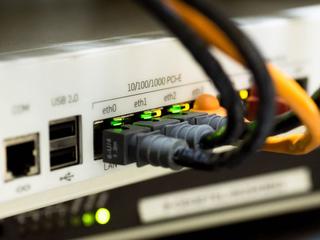
While everyday consumer desktops and entry-level gaming systems rely on a single RJ45 jack, select high-end motherboards, workstations, and servers feature two dedicated Ethernet ports. Rather than serving as an aesthetic flourish or an arbitrary selling point, a secondary port provides specialized networking functionality. These interfaces allow power users to establish discrete physical pathways, build resilient network architectures, and segment demanding tasks away from general internet traffic.
A common consumer assumption is that plugging two patch cables into a single computer instantly doubles download and upload speeds. In practice, connecting two cables into an unmanaged home switch will not accelerate internet performance and can introduce routing anomalies or network loops. Modern operating systems prioritize one default gateway for outgoing traffic, meaning dual-port advantages rely entirely on deliberate, protocol-level network configurations.
Network Separation and Traffic Isolation
One of the most practical applications for a dual-port motherboard is network separation, which allows a single workstation to interface with two isolated subnets simultaneously. A computer can use its primary port to access the broader internet and local office network, while the second port connects directly to specialized equipment. This setup is indispensable in laboratory, medical, and manufacturing environments where automated machinery or test instruments must remain completely isolated from public-facing infrastructure.
Traffic isolation also provides measurable performance improvements for data-heavy creative environments. Media production workstations often maintain one Ethernet link for cloud collaboration, communication, and routine web tasks, while dedicating the secondary interface to a high-speed network-attached storage (NAS) array. Routing bulk file operations through an isolated private link prevents large assets from clogging regular local network traffic.
Failover Redundancy for Mission-Critical Uptime
For enterprise workstations, homelab environments, and home servers, dual Ethernet ports offer automatic failover redundancy. In a failover deployment, the operating system monitors the active interface; if the primary connection drops due to a severed cable, switch failure, or driver fault, traffic shifts instantly to the standby port. This mechanism ensures uninterrupted uptime without requiring manual physical troubleshooting.
True failover redundancy works most effectively when each Ethernet port links to an entirely independent network pathway. Connecting both ports to the same entry-level switch leaves a single hardware point of failure. Network administrators typically route each port to separate network switches, distinct subnets, or separate routers to ensure continuous operational access during hardware maintenance cycles.
Link Aggregation and NIC Teaming
Dual Ethernet ports also make link aggregation possible, a standard often referred to as network interface card (NIC) teaming or bonding. This technology pools multiple physical network adapters into a unified logical link to expand total network capacity. Defined under the IEEE 802.3ad standard, link aggregation optimizes data handling across high-concurrency environments.
It is essential to recognize the architectural constraints of aggregated connections. Teaming requires compatible managed switch hardware and correct software configuration on both endpoints. Furthermore, a single sequential file download generally remains capped at the throughput limit of one individual interface rather than combining into a unified 2 Gbps pipe. The primary performance benefit appears when multiple simultaneous data streams balance across the bonded interfaces.
Virtualization, Routing, and Dedicated Storage
Dual Ethernet ports present exceptional utility for advanced homelab enthusiasts who repurpose spare PC hardware into dedicated appliances. With two physical ports, a compact desktop can be transformed into a custom firewall, gateway, or router running specialized platforms like pfSense or OPNsense. In this configuration, one port serves as the external wide area network (WAN) interface while the second manages the internal local area network (LAN).
Similarly, desktop virtualization relies heavily on physical port assignment to maintain operational boundaries. Hypervisors such as Proxmox VE, VMware ESXi, or Hyper-V allow users to map a physical network interface directly to specific virtual machines. This arrangement ensures that an exposed or untrusted virtual testing sandbox cannot intercept or interfere with the host system's primary management traffic.
Practical Limitations and Common Misconceptions
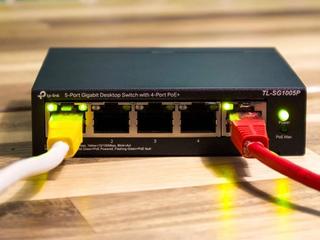
Despite their versatility, dual Ethernet ports are not designed to function as standard passthrough network splitters. A PC owner cannot simply plug an incoming router line into the primary port and daisy-chain a gaming console or secondary PC into the second port out of the box. Users who have exhausted physical router ports should invest in an inexpensive unmanaged network switch rather than attempting ad-hoc desktop bridging.
Ultimately, dual Ethernet motherboards cater to specific operational objectives rather than standard domestic web browsing. When leveraged for dedicated NAS links, virtualization routing, or failover resilience, a secondary port serves as a powerful networking tool. For typical domestic computing, however, a single Gigabit or multi-Gigabit Ethernet port continues to deliver all the bandwidth required.
Frequently Asked Questions About Dual Ethernet Ports
Does plugging two Ethernet cables into a PC double internet speed?
Plugging in two cables does not double your internet speed. Standard single-stream internet downloads stay capped by your ISP tier and single-link limits. Without managed link aggregation or NIC teaming, the extra connection does not increase throughput.
Does connecting two Ethernet cables at once cause bandwidth slowdowns?
Connecting two Ethernet cables without proper configuration will not boost performance and can introduce network routing conflicts. While it does not choke bandwidth directly, conflicting gateways can lead to packet routing errors or connection drops.
Can you use a secondary Ethernet port to connect another PC to the web?
A secondary Ethernet port cannot function as an output switch to connect another device to your local network. It is not an unmanaged pass-through hub. To connect additional wired devices, you must connect a standard external Ethernet switch to your router.
What are the primary practical uses for dual Ethernet ports on a PC?
Dual ports let you set up failover redundancy to prevent dropped connections, or isolate private local traffic like a network-attached storage (NAS) array from general internet browsing. They also allow virtualization software to route dedicated virtual machines.
Related articles